Problem Statement
Part Four delivered two platform contracts on a real AKS cluster: CostOptimizedApp for lightweight workloads and HighlyAvailableApp for production-grade deployments. A developer can instantiate either contract with a few lines of YAML, and kro handles the translation into Deployments, Services, and PodDisruptionBudgets.
But "a few lines of YAML" still requires kubectl. It requires knowing the API version, the custom resource kind, and the right cluster context. For many application engineers who live in code and CI pipelines - not terminals - that friction is exactly what the platform should absorb.
This post removes that final barrier. We build a lightweight self-service portal that exposes the same two contracts through a web interface. The portal runs as a Pod on AKS with a Kubernetes service account that has RBAC permission scoped to exactly two custom resource types and nothing else. Developers deploy, list, and tear down their apps entirely through a browser. No kubectl. No knowledge of what runs underneath.
Architecture
The diagram below shows the full picture: what the platform team sets up once, what the developer team can do without any Kubernetes knowledge, and how RBAC keeps the two sides cleanly separated at the contract boundary.
%%{init: {"theme": "base", "themeVariables": {"primaryColor": "#1565C0", "primaryTextColor": "#ffffff", "primaryBorderColor": "#0D47A1", "lineColor": "#455A64", "secondaryColor": "#E3F2FD", "tertiaryColor": "#E8F5E9"}}}%%
flowchart TB
  subgraph dt["Developer Team"]
    browser["Browser"]:::dev
  end

  subgraph cluster["AKS Cluster"]
    direction TB

    subgraph krons["kro-system namespace"]
      kro["kro Controller"]:::platform
    end

    subgraph pt["Platform Team — one-time setup"]
      direction LR
      rgd1["RGD: CostOptimizedApp"]:::contract
      rgd2["RGD: HighlyAvailableApp"]:::contract
      sa["ServiceAccount: portal-sa"]:::rbac
      role["Role: get/list/create/delete\ncostoptimizedapps\nhighlyavailableapps ONLY"]:::rbac
      rb["RoleBinding"]:::rbac
      sa --> rb
      rb --> role
    end

    subgraph ns["platform-demo namespace"]
      direction TB
      portal["Platform Portal Pod\n(runs as portal-sa)"]:::ui

      subgraph crs["Custom Resources — the contract boundary"]
        cr1["CostOptimizedApp CR"]:::cr
        cr2["HighlyAvailableApp CR"]:::cr
      end

      subgraph infra["Platform-managed resources — hidden from dev team"]
        dep["Deployment"]:::workload
        svc["Service"]:::workload
        pdb["PodDisruptionBudget"]:::workload
      end
    end
  end

  browser -->|"HTTP — deploy / list / delete"| portal
  portal -->|"K8s API — scoped token only"| crs
  rgd1 --> kro
  rgd2 --> kro
  cr1 --> kro
  cr2 --> kro
  kro --> dep
  kro --> svc
  kro --> pdb

  classDef dev fill:#E3F2FD,stroke:#1565C0,color:#0D47A1
  classDef contract fill:#E8F5E9,stroke:#2E7D32,color:#1B5E20
  classDef rbac fill:#FFF8E1,stroke:#E65100,color:#E65100
  classDef ui fill:#4A148C,stroke:#38006b,color:#ffffff
  classDef cr fill:#F3E5F5,stroke:#4A148C,color:#4A148C
  classDef platform fill:#1565C0,stroke:#0D47A1,color:#ffffff
  classDef workload fill:#ECEFF1,stroke:#607D8B,color:#263238
The platform team does work in three layers and then steps back. The developer team operates entirely inside the top half of this picture — browser to portal — and never crosses the contract boundary.
Platform Engineering Principles at Work
Three principles come together in this design.
The contract is the only shared API surface. The developer team interacts with exactly two things: CostOptimizedApp and HighlyAvailableApp. They do not see Deployments, Services, PodDisruptionBudgets, or any Kubernetes primitive. The platform team owns those details entirely. The RGDs are the stable agreement between the two teams, and kro enforces that translation automatically.
RBAC scopes to the contract, not to the cluster. The portal runs with a Kubernetes ServiceAccount bound to a Role that grants get, list, create, and delete on only the two custom resource types in the platform-demo namespace. The service account cannot read Pods, cannot modify Deployments, and has no privileged access anywhere else. This is the principle of least privilege applied directly at the API layer.
Developer teams manage their own lifecycle. Once the platform team has done the one-time setup — RGDs, service account, and portal — the developer team can deploy, monitor, and remove their apps without filing a ticket or running a single kubectl command. They own the full lifecycle within the contract boundaries. The platform team does not need to be in the loop for each deployment.
Solution
UI samples:
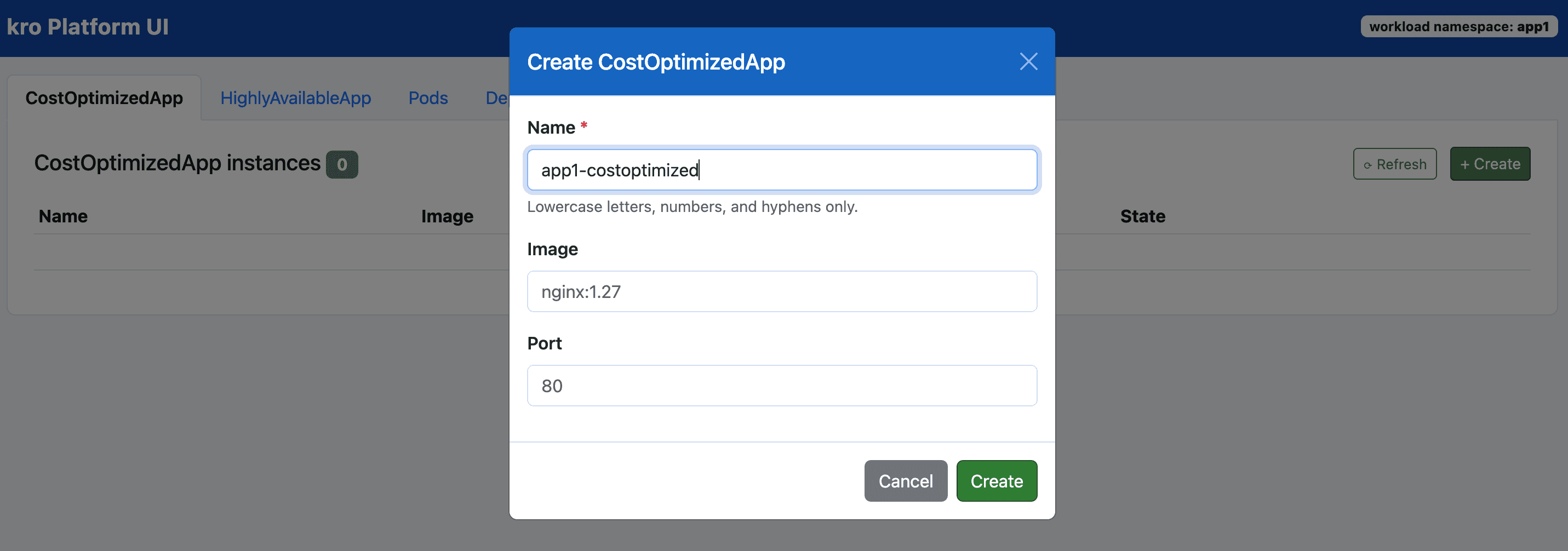
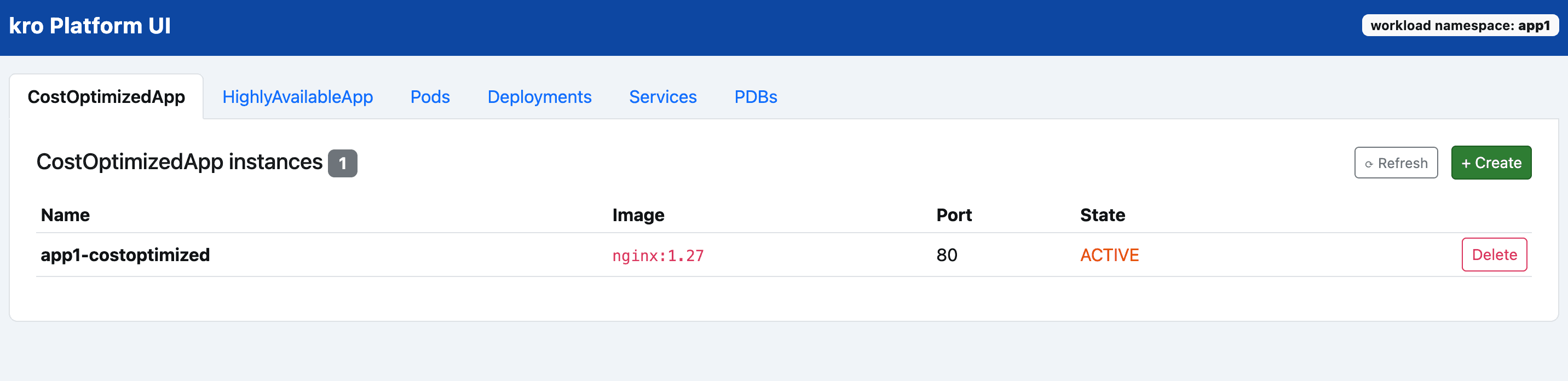
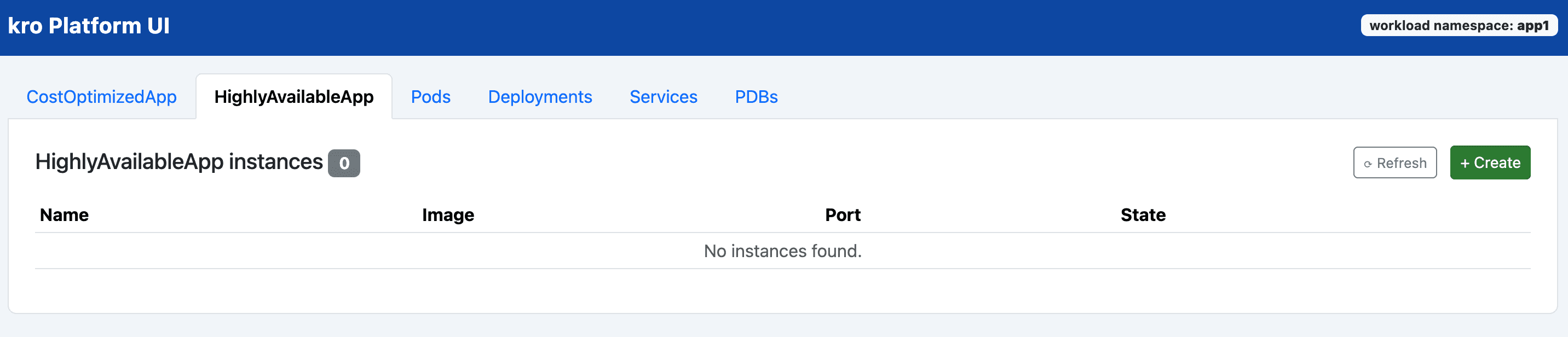
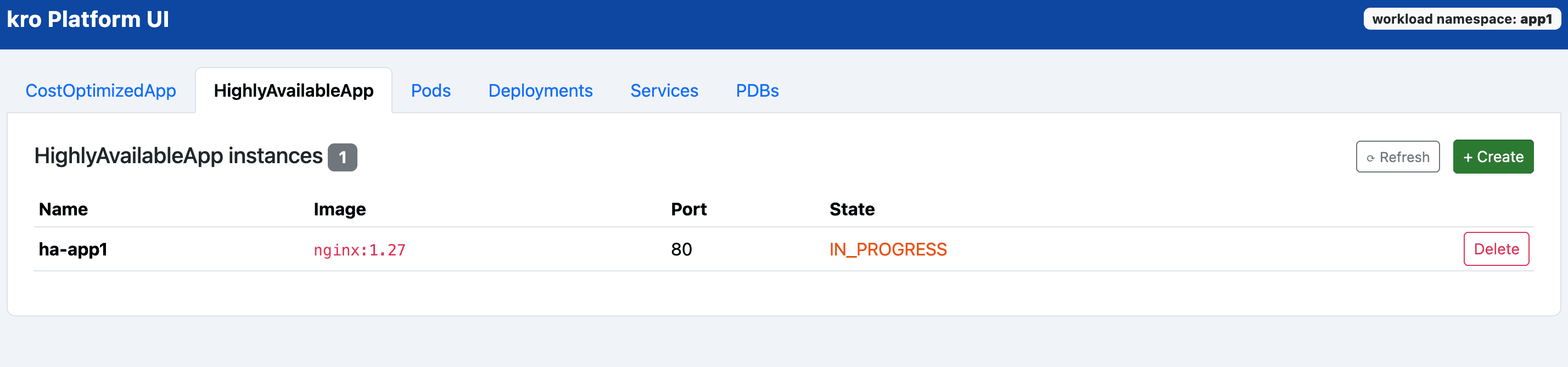
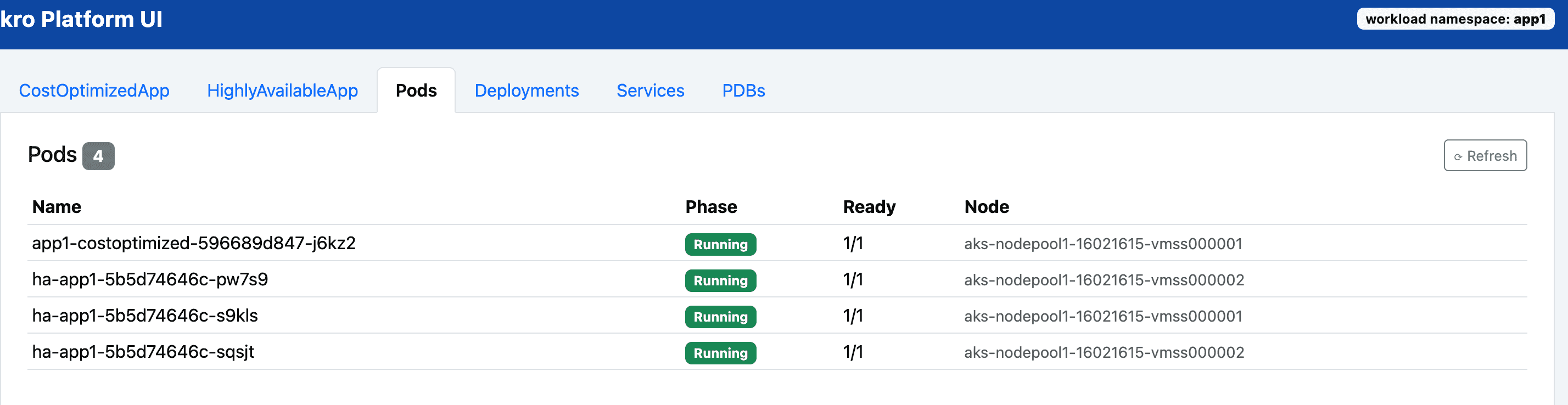
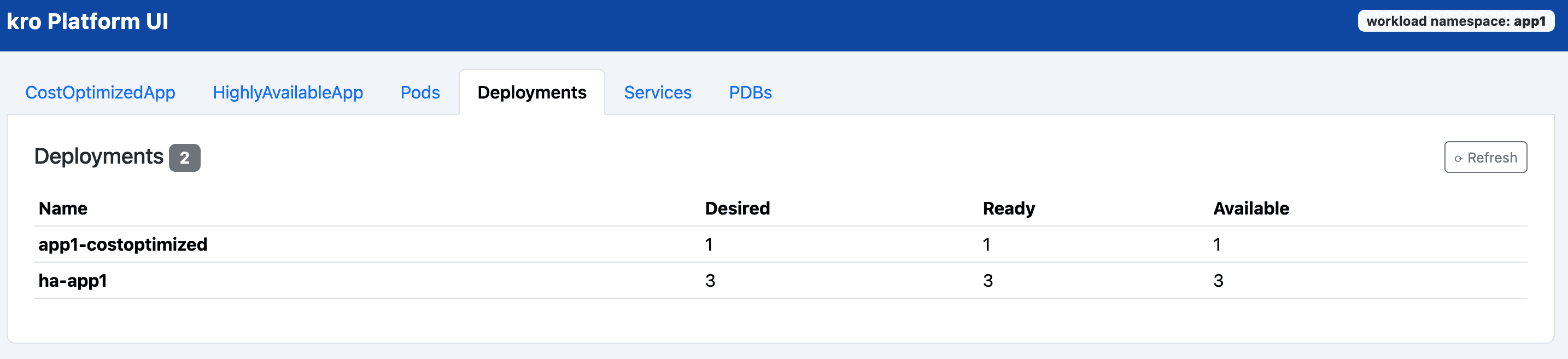
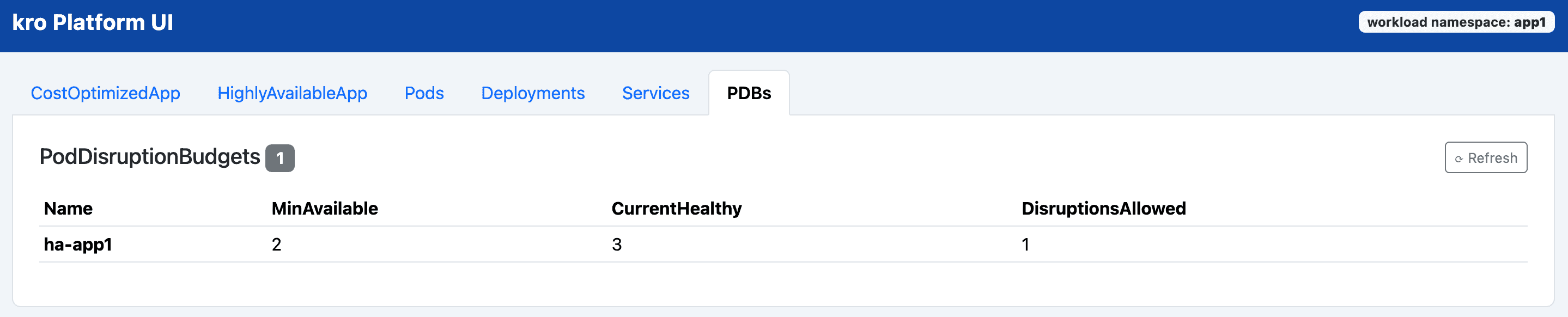
A browser, a form, and a click — that is all the developer team needs. Kro's RGD contracts handle everything underneath, invisibly and automatically.
Because the contracts are stable Kubernetes APIs, the portal itself is just one possible surface. Today's frontier models and coding agents can generate or evolve a richer UI in hours — the platform contract stays the same regardless of how the front end changes.
This walkthrough builds on the cluster and RGDs from Part Four. The AKS cluster, kro installation, and both ResourceGraphDefinition objects are assumed to be already in place. Start there if you have not done that setup yet.
The full source code and all manifests used here are available at: srinman/platform-engineering — blog/kroapp
Prerequisites
Set shared environment variables:
export RESOURCE_GROUP="rg-kro-simple-demo"
export CLUSTER_NAME="aks-kro-simple-demo"
export NAMESPACE="platform-demo"

az aks get-credentials \
  --resource-group "$RESOURCE_GROUP" \
  --name "$CLUSTER_NAME" \
  --overwrite-existing
Verify both RGDs are active before continuing:
kubectl get rgd cost-optimized-app highly-available-appBoth should show STATE: Active and READY: True.
Step 1: Create the Scoped Service Account
The portal authenticates to the Kubernetes API using an in-cluster service account. The Role grants only the minimum permissions the portal needs: get, list, create, and delete on the two custom resource types in the platform-demo namespace. Nothing more.
kubectl apply -f - <<'EOF'
apiVersion: v1
kind: ServiceAccount
metadata:
  name: portal-sa
  namespace: platform-demo
---
apiVersion: rbac.authorization.k8s.io/v1
kind: Role
metadata:
  name: portal-role
  namespace: platform-demo
rules:
  - apiGroups: ["kro.run"]
    resources: ["costoptimizedapps", "highlyavailableapps"]
    verbs: ["get", "list", "create", "delete"]
---
apiVersion: rbac.authorization.k8s.io/v1
kind: RoleBinding
metadata:
  name: portal-rolebinding
  namespace: platform-demo
subjects:
  - kind: ServiceAccount
    name: portal-sa
    namespace: platform-demo
roleRef:
  kind: Role
  name: portal-role
  apiGroup: rbac.authorization.k8s.io
EOF
Confirm what the service account can and cannot do:
# Should return "yes"
kubectl auth can-i create costoptimizedapps \
  --as=system:serviceaccount:platform-demo:portal-sa -n platform-demo
kubectl auth can-i create highlyavailableapps \
  --as=system:serviceaccount:platform-demo:portal-sa -n platform-demo

# Should return "no"
kubectl auth can-i create deployments \
  --as=system:serviceaccount:platform-demo:portal-sa -n platform-demo
kubectl auth can-i get pods \
  --as=system:serviceaccount:platform-demo:portal-sa -n platform-demo
The service account can touch the two contracts. It cannot touch anything else. This is the RBAC boundary visible in the architecture diagram.
Step 2: Deploy the Self-Service Portal
The portal is a lightweight web application. It runs as a Pod with serviceAccountName: portal-sa, which means Kubernetes automatically mounts the scoped token at the standard in-cluster path. The portal uses that token to call the Kubernetes API — restricted by the Role created above.
See the full portal source code and manifests at srinman/platform-engineering — blog/kroapp.
kubectl apply -f - <<'EOF'
apiVersion: apps/v1
kind: Deployment
metadata:
  name: platform-portal
  namespace: platform-demo
spec:
  replicas: 1
  selector:
    matchLabels:
      app: platform-portal
  template:
    metadata:
      labels:
        app: platform-portal
    spec:
      serviceAccountName: portal-sa
      containers:
        - name: portal
          image: srinman/kroapp:latest
          ports:
            - containerPort: 8080
---
apiVersion: v1
kind: Service
metadata:
  name: platform-portal
  namespace: platform-demo
spec:
  selector:
    app: platform-portal
  ports:
    - port: 80
      targetPort: 8080
EOF
Verify the portal pod is running:
kubectl get pods,svc -n "$NAMESPACE" -l app=platform-portalStep 3: Access the Portal
Port-forward to the portal service and open it in a browser:
kubectl port-forward -n "$NAMESPACE" service/platform-portal 8080:80Open http://localhost:8080. The portal presents a simple form with:
- App name — the name of the custom resource to create.
- Container image — the image to deploy.
- Deployment type —
CostOptimizedApp(single replica, minimal footprint) orHighlyAvailableApp(three replicas, zone spread, PodDisruptionBudget).
A status list below the form shows all currently deployed instances and their ready state. Developers can also delete an app directly from the list.
Step 4: What the Developer Experiences
From the developer's side, the full workflow is:
- Open the portal in a browser.
- Type an app name and container image.
- Pick a deployment type.
- Click Deploy.
- Watch the status list update as kro provisions the resources.
No kubectl. No kubeconfig. No knowledge of what Deployments, Services, or PodDisruptionBudgets look like.
Internally the portal creates a CR like this — but the developer never writes or sees it:
apiVersion: kro.run/v1alpha1
kind: CostOptimizedApp
metadata:
  name: my-app
  namespace: platform-demo
spec:
  image: my-registry/my-app:1.0
kro picks that up and expands it. The developer only sees the result: their app is running.
Step 5: Verify the Full Flow
After deploying through the portal, confirm the outcome from the platform team's side:
kubectl get costoptimizedapps,highlyavailableapps -n "$NAMESPACE"
kubectl get deploy,svc,pdb -n "$NAMESPACE"
The portal created the CR; kro translated it into the underlying Kubernetes resources. The developer team had access to nothing deeper than the custom resource type.
Summary
This post builds on the two RGDs from Part Four and shows the final layer: a self-service portal that removes kubectl from the developer workflow entirely.
The platform team does work in three layers and then steps back:
| Layer | What the platform team defined |
|---|---|
| API contracts | Two RGDs that translate developer intent into Kubernetes resources |
| Access control | A service account scoped to only those two custom resource types |
| Self-service surface | A portal that presents a simple form backed by the scoped service account |
Once those three layers are in place, the developer team is independent. They can create, monitor, and remove their applications on their own schedule — without needing to know anything about what runs underneath and without any Kubernetes access of their own.
That is the platform engineering goal: provide a product, not a ticket queue.